
-
Login
-
Sign Up

Log in to your iBeauty account
Access Your Account for a Universe of Possibilities
at Your Fingertips.

Sign up and start learning
Take the First Step Towards Learning. Sign Up Today &
Expand Your Horizons!
Log In
Sign Up
Don’t have an account yet? Sign Up
or continue with
By Sign up, you agree to our Terms and Use and Privacy Policy
Already have an account? Sign In

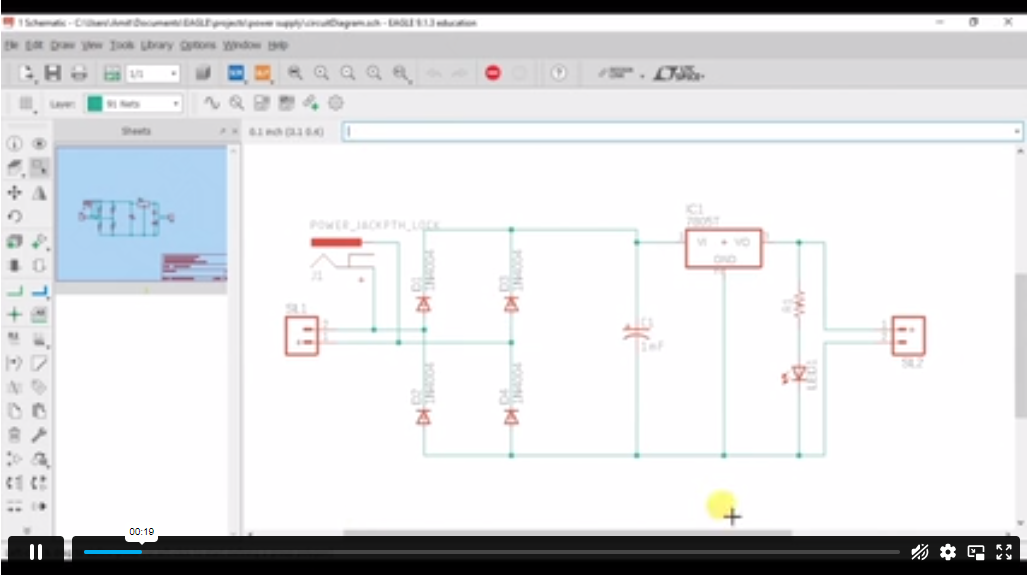
Learn the Art and Science of PCB Design with Eagle
Course overview Learn about Criminal Law & Police quickly and enhance your skills. You will understand Criminal Law & Police …
Get This Course and 1500+ others for only £49 Per Year Find Out More


Course Curriculum
| Unit 01: Introduction | |||
| Module 01: Introduction | 00:01:00 | ||
| Module 02: Basics of Printed Circuit Board (Important) | 00:13:00 | ||
| Unit 02: Software Installation And Creating First Project | |||
| Module 01: Eagle Software Installation | 00:04:00 | ||
| Module 02: Creating Project with Eagle | 00:05:00 | ||
| Unit 03: Library And Schematic | |||
| Module 01: Creating Schematic with Eagle | 00:09:00 | ||
| Module 02: Eagle Installing External Libraries | 00:06:00 | ||
| Unit 04: Single Sided PCB Design | |||
| Module 01: Create First Complete Schematic in Eagle | 00:07:00 | ||
| Module 02: First PCB Layout, the proper placement of component | 00:05:00 | ||
| Module 03: Create First Single Sided PCB with Eagle | 00:07:00 | ||
| Module 04: Adding Name and Labels to Eagle Schematics | 00:06:00 | ||
| Unit 05: Creating PCB Project | |||
| Module 01: Microcontroller PCB Project with Eagle Part 1 | 00:06:00 | ||
| Module 02: Microcontroller PCB Project with Eagle Part 2 | 00:09:00 | ||
| Module 03: Microcontroller PCB Project with Eagle Part 3 | 00:05:00 | ||
| Unit 06: Copper Pour | |||
| Module 01: Adding Copper Pour to Eagle PCB | 00:06:00 | ||
| Unit 07: Double Sided PCB Design | |||
| Module 01: Double Sided PCB Design with Eagle | 00:05:00 | ||
| Module 02: Double Sided PCB Design (Hands On) | 00:09:00 | ||
| Unit 08: All About SMT Components | |||
| Module 01: Surface Mount Devices in Eagle | 00:08:00 | ||
| Module 02: SMT based Schematic (FTDI Project) | 00:11:00 | ||
| Module 03: SMT and Double Sided PCB Design | 00:09:00 | ||
| Unit 09: Create Custom Library Component In Eagle | |||
| Module 01: Eagle Create Custom Library Part 1 | 00:14:00 | ||
| Module 02: Eagle Create Custom Library Part 2 | 00:08:00 | ||
| Module 03: Eagle Create Custom Library Part 3 | 00:07:00 | ||
| Unit 10: Using Autorouter (Cheating The Software!!!) | |||
| Module 01: Use Autorouter for single sided PCB | 00:05:00 | ||
| Module 02: Use Autorouter for Double sided PCB | 00:01:00 | ||
| Unit 11: Copy Frequently Required Parts In Your Library | |||
| Module 01: Copy frequently required parts in your library | 00:03:00 | ||
| Unit 12: Manufacturing Guide | |||
| Module 01: Print a Single Sided PCB | 00:05:00 | ||
| Module 02: Gerber File Extraction | 00:03:00 | ||
| Module 03: Generate Bill of Materials | 00:02:00 | ||
| Unit 13: Solution Videos, Added As Per Requests | |||
| Module 01: PCB Artwork of Electronic Cricket Match Circuit | 00:11:00 | ||
| Unit 14: Ending Notes | |||
| Module 01: Eagle Current Calculation | 00:08:00 | ||
| Module 02: Conclusion | 00:01:00 | ||
| Assignment | |||
| Assignment – Learn the Art and Science of PCB Design with Eagle | 00:00:00 | ||
| Resources | |||
| Resources – Learn the Art and Science of PCB Design with Eagle | 00:00:00 | ||
| Order Your Certificates | |||
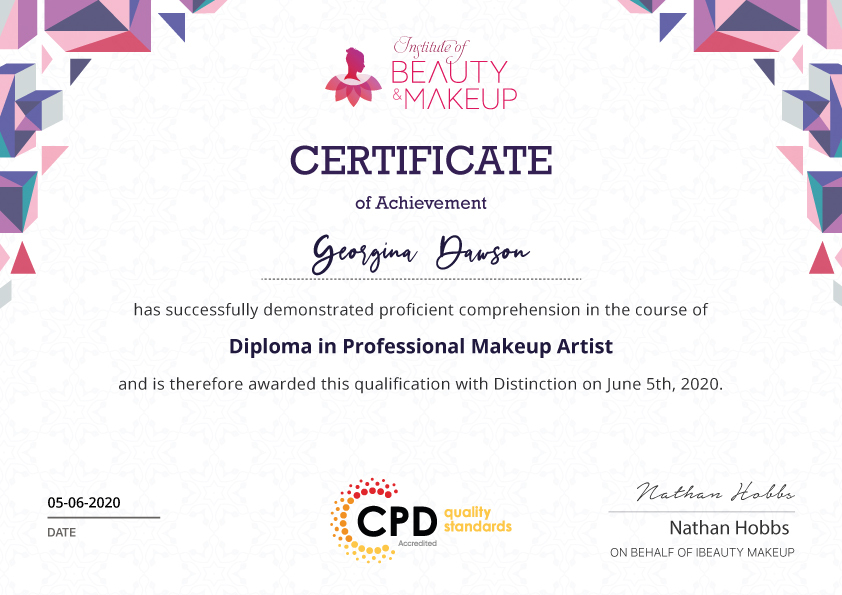
| Order Your Certificate of Achievement from Institute of Beauty & Makeup | 00:00:00 | ||
| Order Your CPD QS Accredited Certificate Directly From CPD Quality Standard | 00:00:00 | ||
Frequently Asked Questions
Upon subscribing you will get unlimited access to more than 2000 courses
Yes, once you purchase the course, you have lifetime access to all content and updates.
All courses come with dedicated support for any questions or technical issues.
All courses come with dedicated support for any questions or technical issues.
All courses come with dedicated support for any questions or technical issues.
All courses come with dedicated support for any questions or technical issues.
Related Courses
Create Videos, Motion Graphics and Animation Using Canva

Textiles and Fabrics Skills for Interior Designer

Certificate in Modern Acrylic and Watercolour Painting Level 3
Diploma in Garden Design and Maintenance Level 5

Embroidery For Beginners Certificate

Diploma in Art and Painting Level 6

Introduction to QGIS for Remote Sensing

Sewing Craft: Crochet
Diploma in Candle Making Level 4

Diploma in Nail Art, Design and Manicure Level 5